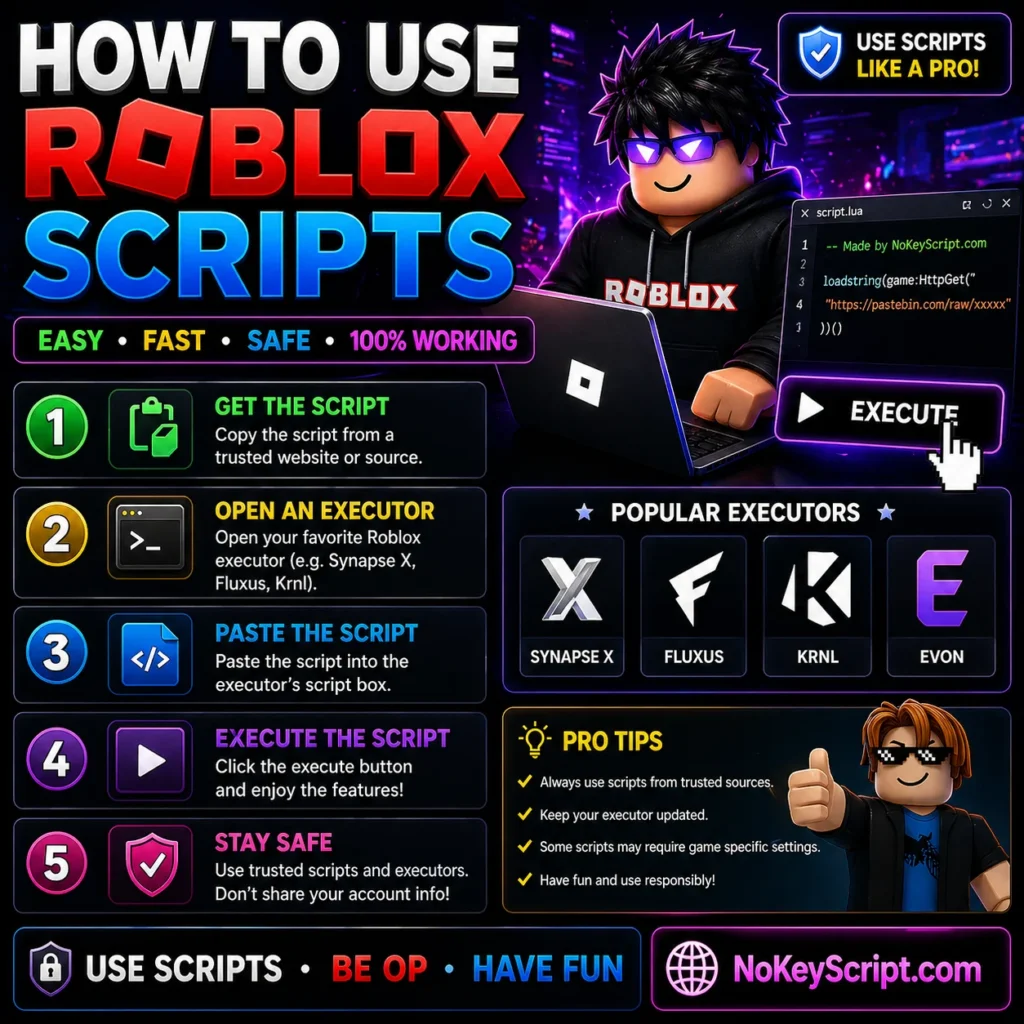
How to Use Roblox Scripts
Do you want to Use Roblox Scripts or LUA Scripts to use cheats on Games? So, here is the simple guide for You.
Want to know how to use Roblox scripts but every guide you find is either a clickbait video or buried under ads? You are in the right place. This walkthrough explains exactly what a Roblox script is, what tool you need to run it, and the full process to get one working on mobile or PC. No fluff, no recycled tips, just the steps that actually work in 2026. If you already have a script ready and just need to run it, jump straight to the mobile or PC steps below. If you need a script first, grab one from No Key Script.
- What is a Roblox script
- What is an executor and why you need one
- What you need before you start
- How to use Roblox scripts on mobile (Android & iOS)
- How to use Roblox scripts on PC
- What is a loadstring and how to paste it
- Best executors to run Roblox scripts
- Common errors and how to fix them
- Are Roblox scripts safe
- FAQ
What is a Roblox script
A Roblox script is a piece of Lua code that changes how a game behaves while you play it. Roblox itself runs on Lua (and its custom variant called Luau), so scripts speak the same language the game already uses. Developers write scripts inside Roblox Studio to build their games. Players load scripts from the outside to add features the developer never put there: auto farm, ESP, infinite jump, fly, kill aura, instant teleport, and so on.
The script you copy from a site like NoKeyScript.com looks like one short line, but that line tells the game to fetch and run a much bigger Lua file from a URL. That long file is the actual code doing the work. The short line is just the trigger.
Examples of what a script can do
- Auto farm coins, mobs, or quests while you sit AFK
- Auto target enemies in PvP games (commonly called aimbot)
- See other players through walls (ESP)
- Walk through walls (no-clip)
- Teleport to specific spots on the map
- Open custom in-game menus to toggle features on the fly
What is an executor and why you need one
Roblox does not let random Lua code run inside your game by default. The whole point of the platform is that only the developer of a game can run code in it. So if you want to run a script, you need a tool that bypasses that block. That tool is called an executor.
An executor (also called an exploit or injector) attaches to your running Roblox client and tells it to run whatever Lua code you paste in. Without an executor, your script is just text on a page. Pasting it into Roblox chat or anywhere else does nothing.
Some of the most used executors in 2026:
| Executor | Platform | Key system | Free |
|---|---|---|---|
| Delta | Android, iOS, PC (via emulator) | Yes (mobile) | Yes |
| Solara | PC | Yes | Yes |
| Xeno | PC | No | Yes |
| Arceus X | Android | Yes | Yes |
| Codex | Android, iOS | Yes | Yes |
| Fluxus | Android, PC | Yes | Yes |
| KRNL | PC | Yes | Yes |
What you need before you start
Three things, every single time:
- An executor installed on your device (pick one from the table above)
- A script you trust, copied to your clipboard (the loadstring line). Browse trending scripts if you do not have one yet
- A Roblox game that the script is built for, open and loaded in
How to use Roblox scripts on mobile (Android and iOS)
Mobile is where most players are running scripts in 2026, mostly because Roblox locked down PC executors hard with its Hyperion/Byfron anti-cheat. Delta Executor is the go-to choice on phones because it works on both Android and iOS. The steps below use Delta but the flow is identical for Codex, Arceus X, Fluxus, or any other mobile executor.
Android (using Delta)
iOS (iPhone and iPad)
iOS is harder because Apple does not allow unsigned apps from outside the App Store. You have to sideload the executor using one of these tools: AltStore, Scarlet, eSign, or Sideloadly. Scarlet is the easiest for beginners because it installs directly on the phone with no PC needed.
How to use Roblox scripts on PC
PC executors got hit hard when Roblox rolled out Hyperion (formerly Byfron) anti-cheat. Synapse X shut down. Most older executors got patched and never came back. The few still working in 2026 are Solara, Xeno, and KRNL, with Solara being the most reliable for free users.
PC steps (using Solara)
What if you only have a phone but want PC features
You can run Delta on PC through an Android emulator. MuMu Player and BlueStacks both work. Install the emulator, install Delta APK inside it, then run scripts the same way you would on a phone. Performance is slower than native PC executors but it is a working workaround.
What is a loadstring and how to paste it
That single line tells your executor to fetch a Lua file from the URL inside the quotes and run it. The double parentheses at the end are what actually trigger execution. Do not delete them. Do not add line breaks. Do not paste it as plain text and re-type the quotes, because smart quotes will break the script.
The clean way to copy a loadstring:
- Tap or click the copy icon on the script card
- Switch to your executor
- Long-press the editor (mobile) or click and Ctrl+V (PC)
- Hit Execute
Best executors to run Roblox scripts in 2026
For mobile
- Delta — the most reliable Android and iOS executor right now, big script hub built in
- Codex — lightweight, works on iOS without a PC, simple UI
- Arceus X — long-running Android executor, big community
- Fluxus — works on Android, decent Lua support
For PC
- Solara — the most active free PC executor in 2026
- Xeno — no key system, free, good for new users
- KRNL — older but still works for many basic scripts
Common errors and how to fix them
Script does not execute
Usually a copy-paste issue. Smart quotes broke the loadstring. Re-copy from the original source and paste it without modification. Also check that the game is open and the executor is attached.
Executor crashes when injecting
The executor is outdated. Roblox pushes client updates often, and executors break until the devs ship a patch. Wait a few hours and download the latest version.
Key system never gives me a key
You skipped a step in the linkvertise flow. Go back to the start, complete every page in order, and do not use a VPN while doing it. Some keys also expire in 24 hours, so you may need to redo it daily.
Script runs but does not work in the game
The game updated and patched the script. Look for an updated version on the same site, or use a different script for that game.
iOS app stopped opening after 7 days
The certificate expired. Re-sign the app through Scarlet, AltStore, or eSign. This is normal for sideloaded iOS apps.
Are Roblox scripts safe
Two questions hide inside that one. Are they safe for your device, and are they safe for your account.
For your device
The script itself is just text. The risk is the executor. Fake executors from random YouTube descriptions or sketchy mirror sites bundle malware, info stealers, and Discord token grabbers. Stick to the official site of whichever executor you choose. If something asks you to disable Defender or grant admin access without a clear reason, close it.
For your Roblox account
Using any executor breaks the Roblox Terms of Service. Roblox uses Hyperion and behavioral detection on the server side. Sometimes you get away with it. Sometimes you eat a permanent ban. The smart move is to use a fresh alt account for any scripts you run, never your main.
FAQ